By Bernardo Campelo, Forbes Business Council E-Commerce Leader, Amazon SPN Certified provider, Amazon SP-API authorized partner, and Founder of PrepVia.
A brand manager runs a routine price check in Manage All Inventory. She finds a SKU nobody on the team created. It starts with VMP_DC_, it carries 12_PK, and the title says Pack of 12. The question on the next team call is always the same: do we have to ship differently now?
Amazon's answer is short. These orders are filled with the case packs you already send, so you keep shipping as usual. That answer is correct. It is also where the risk hides. The pilot does not change how you ship. It changes what your case means.
Here is the argument in one line. The pilot turns your inbound case into a listing a buyer can order, it does not exempt the units inside from their barcode, and it prints your case count in a product title.
The 60-second version
Distribution Center Case Packs are a limited 2026 pilot that lists your inbound case as its own ASIN, and nothing in it removes the barcode each unit inside still needs. In the US store, Amazon picked brand-owned FBA ASINs automatically, scheduled the listings to be created by July 27, 2026 and sold from August 10, 2026, and plans to run the pilot through 2026. You cannot opt in. By default the case sells at N times the single-unit B2C price and pays N times the unit fulfillment fee, with no added fee. The pack size is locked, so a steady count per case becomes your job, next to labeling rules that did not move.
What a Distribution Center Case Pack Is, and How Your Case Becomes an ASIN
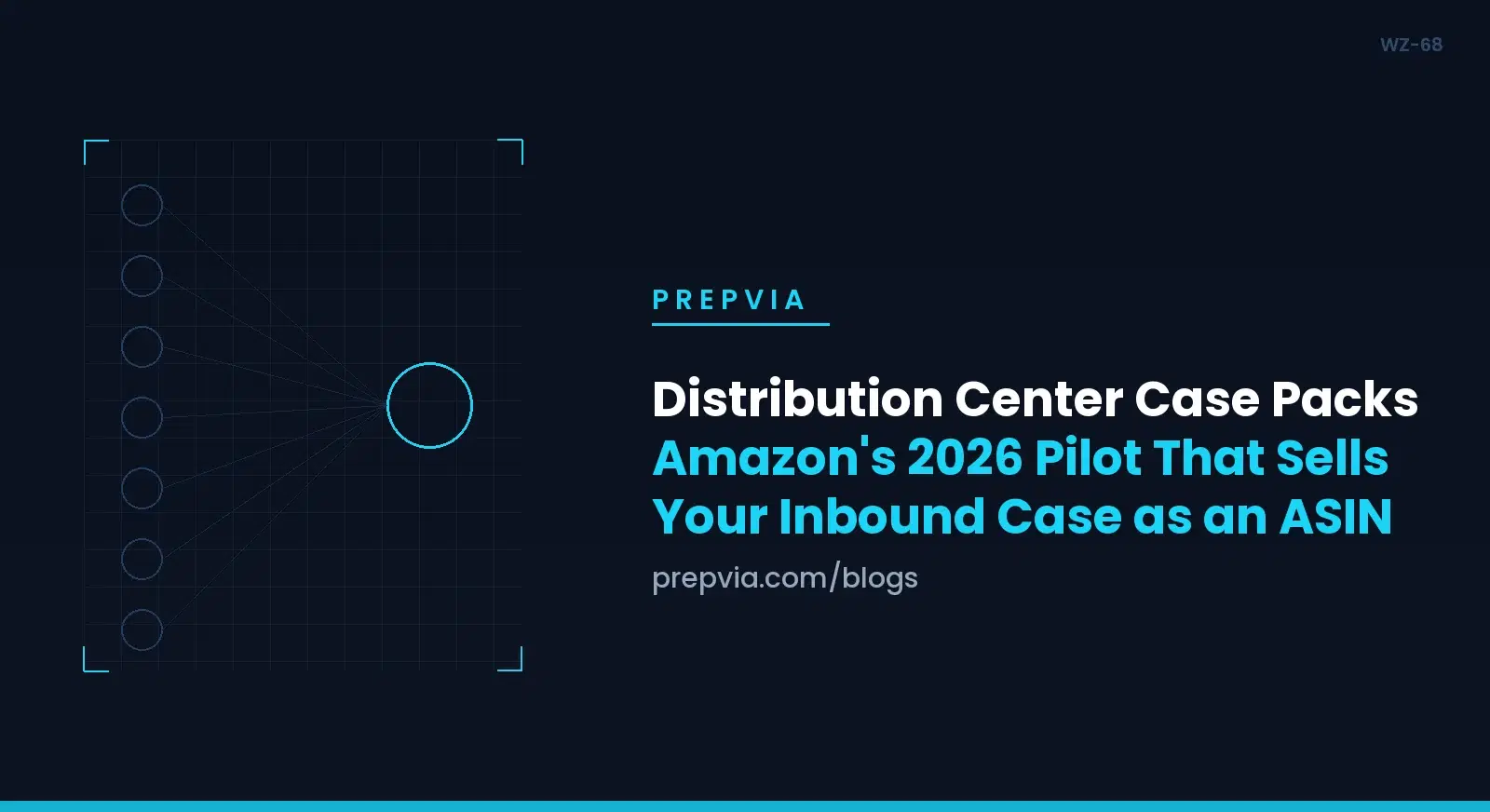
Amazon's page on Distribution Center Case Packs defines a DC case pack as a listing for a case of inventory you sent to FBA. Amazon detects how many units are in the pack you inbound. Then it creates a standalone case pack ASIN with its own SKU. The listing appears as a variation on the single-unit detail page, and Amazon creates a variation family where none exists.
You can spot these listings by the VMP_DC_ prefix and a pack size such as 12_PK. Manage All Inventory currently labels them Virtual Multipacks, so filter for VMP_DC_ to see every one on your account. Amazon says the format already exists for vendor products.
How the case turns into the listing
A buyer orders the pack, and Amazon fills the order with a case you sent. The page does not say how the count is detected. It also does not say whether the buyer gets your carton as is, overboxed or repacked. Do not plan your packaging around either assumption.
What the page does say is that pack sizes cannot be changed. Put that next to the fulfillment line. My reading, not Amazon's wording: once a pack size is live, every case you send for that SKU should hold that count, because your case fills the order.
A DC case pack is not a virtual multipack
The Virtual Multipacks label invites a mix-up. Amazon runs a separate pilot for virtual multipacks, with SKUs that start with VMP_. Those orders are filled from your single-pack inventory. DC case pack orders are filled with the case packs you send. That is why the case matters more here than in a bundle you build yourself, compared in kitting versus bundling for FBA.
| Question | DC case pack | Virtual multipack |
|---|---|---|
| SKU prefix | VMP_DC_ | VMP_ |
| Inventory that fills the order | The case packs you send | Your single-pack inventory |
| Pack size | Fixed | Fixed |
| Default price | Pack size x current single-unit B2C price | Pack size x single-pack price |
| Fulfillment fee | Pack size x unit fee, no added fee | Pack size x unit fee, no added fee |
| Deleted during the pilot | Cannot be reactivated | Cannot be reactivated |
Who Is in the Pilot, and Who Is Not
The help page applies to the US store. The pilot targets FBA brand-owned ASINs with strong demand for multi-unit purchases. Amazon may create the listings on your behalf. It picked the ASINs through an automated process. You cannot join, and sellers already in the pilot cannot request more ASINs. Amazon calls it a limited pilot and says not every seller will have DC case packs.
The dates sit in the pilot text: listings created by July 27, 2026, and on sale from August 10, 2026. Amazon plans to run the pilot through 2026 and says it will communicate any changes. Nothing on the page commits to 2027. Treat a DC case pack as a listing for a season, not a channel for next year.
Eligibility is also narrower than the ASIN. Amazon sets it at the individual offer level, at a given distribution center. Another seller's offer on the same ASIN does not come along automatically. If you share an ASIN with resellers, the case pack belongs to the offer Amazon identified.
A few edges belong in your notes. Amazon validates each DC case pack it creates and removes the ones that fail detail page generation. Case packs for some product types, dietary supplements in Amazon's example, may be flagged as restricted.
Price, Fees and the Controls You Actually Have
By default, the case price is the current single-unit B2C price times the pack size. It follows the single unit's "our price" automatically, generally within 8 hours. You can set a discount percentage, and Amazon reapplies it whenever the unit price moves.
The fee side has no case discount. Amazon charges no additional fee, and a sale pays the unit fulfillment fee times the pack size. A 4-pack pays four unit fees. So any discount you set comes straight out of your margin.
Illustrative numbers, not real prices or fees. A unit lists at $15.00 and, for this example, pays a $4.00 fulfillment fee. Its DC case pack is a Pack of 12. The default case price is 12 x $15.00 = $180.00, and each case sold pays 12 x $4.00 = $48.00 in fees. A 5 percent discount drops the case to $171.00, and the $9.00 comes out of your margin. Back at the default price, give the unit a Business Price of $13.50. Until you edit the case, an Amazon Business buyer sees it at $15.00 per unit, above the single unit. Amazon's page warns about exactly this.
Edit in one place only. Price, title, images and description change on the Edit Virtual Multipack page. Amazon warns that edits through other Seller Central pages, templates, fees, API or any other tools will break the listing. If you run a repricer or push flat files, exclude every VMP_DC_ SKU before the next sync. You can delete a case pack, but one deleted during the pilot cannot be reactivated.
Two more details. Amazon builds the case pack images from your unit images, and a later change to the unit image does not carry over. If the unit drops to 0 available, the case pack disappears as a variation until stock returns.
The Rule the Pilot Did Not Change: A Barcode on Every Unit Inside the Case
This is the mistake I expect to see most. Amazon's page Use Amazon barcodes for FBA requires that "each item in a case pack has an Amazon barcode" and that barcodes on the case be removed. Since March 31, 2026, resellers must use Amazon barcodes even when a manufacturer barcode exists. Brand owners can keep using manufacturer barcodes without stickers.
The case pack definition sits on the product packaging requirements page, which also says each unit must have an easily accessible, scannable barcode on its exterior. Every unit in a case pack shares one SKU and condition and was packed together by the manufacturer. Every box of that product holds the same quantity, up to 150 units per case. At receiving, the fulfillment center scans one unit and places the box in inventory. That is a receiving shortcut. It was never a labeling exemption.
The pilot leaves that rule alone. The DC case pack page covers listings, prices, fees, images and eligibility, and nothing on it relaxes the unit barcode or the case pack definition. A case that becomes an ASIN does not become the barcode.
So where does the unit barcode come from? On an offer set to the manufacturer barcode, it is the code already on the unit. Amazon's manufacturer barcode page limits that to new products with one scannable UPC, EAN or ISBN matching one ASIN. The product must be registered to a brand where you are a brand representative in Brand Registry. Every other offer needs an Amazon barcode on each unit. A unit that arrives without the barcode it needs is marked defective, stickered by Amazon, and reported on your Inbound Performance Dashboard. The reseller side is in case pack labeling at volume, and the brand side in the 2026 manufacturer barcode rule.
One more date. Since January 1, 2026, Amazon no longer offers prep and item labeling services for US FBA shipments. Shipments created after that date that arrive without proper prep and item labeling are not eligible for reimbursement if units are damaged or untraceable.
| Element | What applies | Changed by the pilot? |
|---|---|---|
| Listing | Amazon may create a VMP_DC_ case pack ASIN as a variation | Yes |
| Price | Pack size x unit B2C price, optional discount | Yes |
| Fulfillment fee | Pack size x unit fee | No new fee |
| Unit barcode | Amazon barcode on each item, unless the offer uses a qualifying manufacturer barcode | No |
| Outside of the case | Existing barcodes removed, covered or made unscannable | No |
| FBA Box ID label | A unique label on every box | No |
| Case pack definition | One SKU and condition, manufacturer packed, equal quantity, up to 150 units | No |
24 to 36h prep. 35-hour end-to-end guarantee or the prep is free. Net-30 terms. From 50 units to full truckloads.
Building the Case When the Case Is the Product
By Amazon's definition, a case pack is packed by the manufacturer, and the pilot adds no new packaging standard. What it adds is consequence. Your case configuration now feeds a listing whose pack size cannot change.
Start with the count. The case pack rule already demands equal quantities, so a case of 24 always holds 24. For any SKU with a VMP_DC_ listing, I would go further and freeze the count. Put it in writing with your supplier and on the purchase order. Amazon's FAQ asks what happens when sellers ship different quantities per case, and answers only that eligibility is set per offer at a given distribution center. You do not want to learn the rest on a live listing.
The same discipline pays twice. Amazon-optimized splits carry no inbound placement fee and need at least five identical cartons or pallets per item, with the same quantity and item mix in each. Steady case counts make that rule easier to meet, a trade covered in how to avoid inbound placement fees.
Then the carton. A master carton that holds several case packs is not a case pack and must be separated at the case pack level. The shipping and routing requirements ask for a rigid, six-sided box with flaps intact and cap a standard box at 50 lb and 36 x 25 x 25 inches. Items shipped in the manufacturer's case pack skip the 2 inches of cushioning. Amazon does not say whether your carton reaches the buyer. So do not ship a crushed case into a SKU that sells by the case.
Expiration-dated products add a rule. The date goes on the outer box in 36-point or larger font and on every unit. Box content allows one expiration date per SKU per box, so a case with two expiration dates gets split, and a split case no longer matches your pack size.
For a brand owner, the cheapest label is the one applied before the case is sealed. On a qualifying manufacturer barcode, the unit already carries what Amazon scans. On an Amazon barcode, the FNSKU can be applied at the factory or printed on the packaging, as long as it meets Amazon's label format. The case then travels closed. The same logic runs through prep for brands that own the barcode.
Labels: The Unit, the Case and the Box ID
Three labels do three jobs, and the pilot changes none of them.
The unit label
On an offer that uses Amazon barcodes, the FNSKU covers every other visible barcode on the unit, except serial number and Transparency codes. It must stay scannable after prep, sit off curves and corners, and keep 0.25 inch from the edge. Amazon wants it readable for 24 months. Barcode preference lives on the offer, and an account-level change applies only to new offers. If you plan a new offer to switch barcode type on a SKU with a DC case pack, ask Selling Partner Support first. Eligibility is set per offer, and Amazon does not say whether the case pack follows.
The outside of the case
Any scannable code on the outside comes off, gets opaque tape, or is crossed out with a black marker. That includes a factory case code such as an ITF-14. It is not an Amazon code, and the pilot did not change that rule.
The FBA Box ID label
Every case carries its own unique FBA Box ID label from the shipping queue, on a pallet or not. It names the carton. The units inside travel as box content data.
The Count: A Receiving and Readiness Protocol for Pilot SKUs
The count is where the pilot bites. Receiving scans one unit per case and places the case in inventory. A case holding 11 when the plan says 12 is not recounted at that step. Amazon fills pack orders with the cases you send. Read literally, a short case is a short order. So your check has to happen before the case ships.
The data side is simple. Box content information covers units per SKU per box, expiration dates, weight and dimensions, for every box. In the tab-delimited pack list, case-packed shipments use a Case Quantity column, where you enter the number of cases. The box content instructions add that quantity discrepancy defects can no longer be disputed, though that defect carries no financial penalty of its own. Quantities that differ significantly from your plan are another matter: they can draw inbound defect fees. For the fields themselves, see adding box content to an FBA shipment.
| Check at receiving | Compare it against | If it fails |
|---|---|---|
| Units per case, on a sample of cases | The pack size in the VMP_DC_ title, the purchase order and the plan | Ship those units as individually packed |
| Carton: rigid, six-sided, flaps intact | Amazon shipping requirements | Hold it before it ships as a case pack |
| Unit barcode on every sampled unit | The barcode setting on that offer | Label every unit before closing |
| Old or factory codes on the outside | Amazon rule for outside barcodes | Tape over or cross out |
| Expiration date | Outer box and units, one date per case | Split by date |
If you found a VMP_DC_ SKU in your account, this is the protocol I would run this week.
- Filter Manage All Inventory for VMP_DC_ and list each pack size.
- Compare each pack size with the case count in your recent box content. Raise any mismatch with Selling Partner Support.
- Check the case price against any unit Business Price. Discount only with your margin in view.
- Pull VMP_DC_ SKUs out of repricers, flat files and API feeds.
- Decide keep or delete for each SKU. Amazon has no fix for detail page issues during the pilot, and a delete is permanent.
- Freeze the case count with your supplier, in writing.
- Confirm the barcode setting on each offer and label every unit to match it.
- Count a sample of cases at receiving, and pull short or damaged cases from the case-packed line.
The last two steps are prep center work, and PrepVia does them in Miami. We verify each carton count against the packing list and report any discrepancy within 24 hours of arrival, with photos. Every unit that needs an FNSKU gets one at $0.40, scan-verified, and every carton gets its FBA box label with box content submitted per carton, inside a 24 to 36 hour prep window. PrepVia cannot enroll a SKU in the pilot and does not manage your listing. The gap between a real count and a said-to-contain count is the gap this pilot exposes.
Frequently Asked Questions
What is an Amazon distribution center case pack?
It is a listing that represents a case of inventory you sent to FBA. Amazon detects the unit count in the inbound case and creates a separate case pack ASIN and SKU, shown as a variation of the single unit. The SKUs start with VMP_DC_. For sellers it is a limited 2026 pilot.
Can I join the Distribution Center Case Packs pilot?
No. Amazon picked ASINs through an automated process, offers no opt-in, and does not take requests for more ASINs. The pilot focuses on FBA brand-owned ASINs with strong multi-unit demand, and not every seller will have DC case packs. No prep center or agency can enroll you.
Do units inside a DC case pack still need an Amazon barcode?
Yes, unless the offer qualifies for the manufacturer barcode. Amazon requires an Amazon barcode on each item in a case pack and the removal of barcodes on the case. Since March 31, 2026, resellers must use Amazon barcodes. Only a brand representative in Brand Registry can use a qualifying manufacturer barcode. The pilot relaxes none of this.
How is a DC case pack priced, and does it cost more in fees?
By default the case costs the pack size times the current single-unit B2C price, and it follows the unit price. You can set a discount percentage. There is no added fee: a sale pays the unit fulfillment fee times the pack size. A discounted Business Price on the unit makes the case cost more per unit on Amazon Business until you edit it.
Can I change the pack size or edit the listing somewhere else?
No. The pack size is fixed. Titles, images, descriptions and bullets can change, but only on the Edit Virtual Multipack page, and Amazon warns that edits through other tools break the listing. A case pack deleted during the pilot cannot be reactivated.
What happens if I ship a different number of units per case?
Amazon's own FAQ asks this and answers only that eligibility is set per offer at a given distribution center. It does not say what happens to a live DC case pack when your count changes, and its case pack rule already requires equal quantities in every box of a product. With a fixed pack size filled from your cases, the safe practice is to keep the count constant.
How is a DC case pack different from a virtual multipack?
Both are Amazon pilots with fixed pack sizes, the same per-unit fee logic and the same edit page. The difference is inventory. Virtual multipacks, with the VMP_ prefix, are filled from your single-pack stock. DC case packs, with the VMP_DC_ prefix, are filled with the case packs you send.
Final Take
Distribution Center Case Packs are a small pilot with a large lesson. Amazon took something you already produce, the inbound case, and listed it as a product.
Only the listing changed. Every unit still needs the barcode its offer requires. The outside of the case still has to be free of any scannable code except the FBA Box ID label. Every case still needs its own Box ID label. Anyone who says the case is now the barcode has confused a listing with a labeling rule.
What the pilot does change is the value of a steady count. A locked pack size, filled from your cases, turns units per case into a number in a title. Freeze that number, audit every unit label, and check your cases at receiving, before a buyer does it for you.
See how PrepVia labels and checks case packs →
PrepVia is Amazon SPN Certified, prep window 24-36 hours, Net-30 available.